Paddle Battle: free to play in your browser
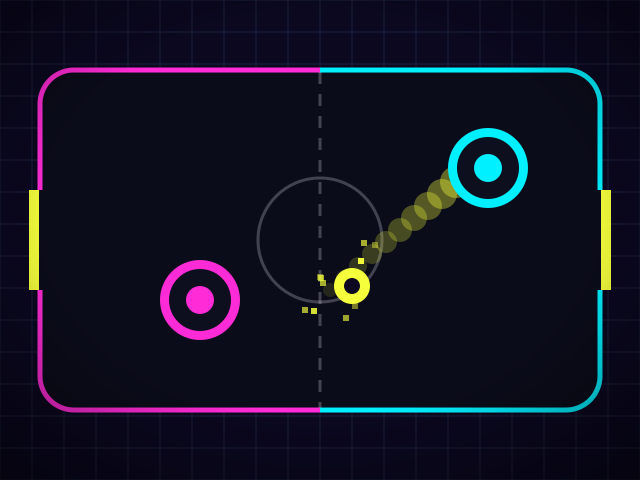
Paddle Battle is classic two-paddle tennis with a neon glow. Hit the ball past your opponent's paddle to score, and stop it getting past yours. The ball speeds up with every hit, so long rallies get frantic.
Hit the ball with the edge of your paddle to angle it, and move fast as you hit it for a POWER SMASH. Play the CPU on Easy or Hard, or a friend on the same screen. On a phone held upright the court turns so you play from the bottom of the screen.
How to play
- Choose VS CPU (easy or hard) or 2 Players.
- Move your paddle with the stick or d-pad, W and S (or the arrow keys), the mouse, or by dragging a finger on your half of the screen.
- Block the ball so it bounces back to the other side. Where it hits your paddle sets the angle: the edges send it off steeply.
- Swing into the ball fast for a power smash, which speeds it up and glows yellow.
- Get the ball past your opponent's paddle to score. First to 7 points wins the match.
Game modes
- VS CPU · Easy
- A relaxed computer opponent that moves slowly and misses some shots.
- VS CPU · Hard
- A fast opponent that reads the ball off the walls. Angle your shots and smash to beat it.
- 2 Players
- Two people on one screen. On a phone upright, P1 drags along the bottom half and P2 along the top. On a keyboard, P1 uses W/S and P2 the arrow keys, or plug in two controllers.
Tips
- Steep angles from the paddle's edge are hard to return, especially once the ball is fast.
- Get back to the middle after each hit so you're never too far from the next shot.
- Save the power smash for when your opponent is out of position.
- Against the CPU on Hard, aim off the walls: bank shots are harder for it to read.
Questions
Is Paddle Battle free?
Yes. It's free in your browser with no download or account.
Can two people play on one phone?
Yes. Hold the phone upright between you: P1 drags on the bottom half and P2 on the top half.
Does it work with a controller?
Yes. Plug in one controller to play the CPU, or two for a 2 player match.
Can I play offline?
Yes. Press Save for offline on the game page while you're online, and it will keep working without internet.